

Need Fan Installation Near Me for Home Cooling
A ceiling fan can make a noticeable difference in comfort during hot Texas weather, but the wiring, controls, and mounting details matter. This guide helps homeowners in Wylie, TX understand what to check before installation, what signals mean you may need fan repair, and how to choose an approach that supports safe, efficient cooling.
It starts the same way every summer in Wylie: the AC runs longer, rooms feel uneven, and you notice the ceiling fan you already have just does not move air the way it used to.
Maybe the fan wobbles, the light flickers, the remote feels unreliable, or the blades never seem to reach a steady speed. If you are thinking about adding a ceiling fan or upgrading an existing one, the electrical side is where many problems begin.
In this guide, you will learn what to check first, the main things that affect cooling performance, and when it makes sense to schedule electrician help. You will also get a practical checklist you can use while planning your fan installation.
- Quick answer
- What to check first
- Main considerations
- Why this matters in Wylie, TX
- Common mistakes to avoid
- Customer checklist
- Frequently asked questions
Quick Answer
If you want better home cooling with a ceiling fan, the fastest path is to confirm the fan location, wiring readiness, and control compatibility before you mount anything. A qualified electrician can verify the electrical box support, switch wiring, and safe grounding, then connect the fan and controls correctly. If your current fan wobbles, makes noise, or the light flickers, do not keep troubleshooting by repeatedly flipping switches. Instead, have fan installation and repair assessed so the issue is corrected at the wiring and mounting level, not just the blades.
What to Check First
Start with the basics that affect both comfort and electrical safety. In the room where you want the fan, check the ceiling height, beam obstructions, and whether the fan will be centered over the seating or walking area. Next, look at the existing electrical setup: is there a suitable ceiling junction box already in place, and does the current switch control the correct circuit? If you are adding a fan where there is no ceiling wiring, plan for electrical wiring work so the fan can operate safely and reliably.
Fan support and mounting
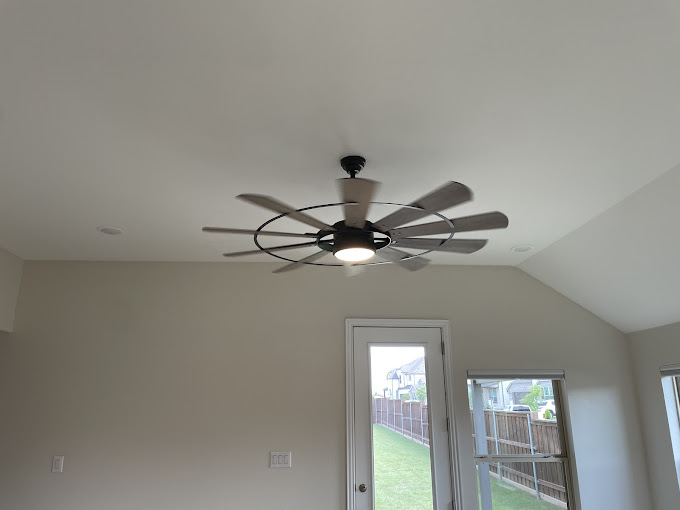
Fans need a properly rated ceiling box and secure mounting hardware so vibration does not loosen connections over time.
Switch and control compatibility
Some fans and remotes require specific switch setups. Mismatched controls can cause inconsistent speeds or lighting behavior.
Wiring condition and safety
Old wiring, loose connections, or missing grounding can lead to flickering lights, tripping breakers, or overheating.
Main Considerations
Cooling comfort comes from airflow, but airflow depends on correct installation. A well-installed fan improves circulation by moving air across the room instead of only “blowing” directly downward. The fan’s speed control, blade direction, and the way the light kit is wired all play a role in how it feels day to day.
Here are the key factors homeowners usually notice during and after installation:
Professional observation: If a fan is installed on a box that is not supported for fan loads, you may see wobbling, noise, or slow-start behavior. That is not just annoying. It can also wear down wiring connections and make controls less reliable.
1) Electrical readiness at the ceiling. A ceiling fan is heavier and moves more than typical lighting fixtures. The junction box and mounting method must be designed for fan installations. If the ceiling box needs upgrading, it is usually handled during installation rather than after the fan is already mounted.
2) Proper control wiring. Some installations use pull chains, wall switches, or remotes. If the fan has a light kit, the lighting circuit needs to be wired so the fan speed control and the light switch or remote functions do not interfere with each other.
3) Dedicated circuit planning. Many fans are not the only device on a circuit, but if you are also updating related electrical components in the same area, getting the wiring approach right can reduce nuisance trips and improve overall stability. If your home has older wiring practices, electrical troubleshooting may be needed before you add new loads.
4) Balanced airflow for Texas rooms. In Wylie, you may run fans most often during humid summer months. That makes correct blade positioning and speed control especially important so the fan can help the AC feel more effective.
| Situation you notice | Most likely installation-related cause | What to do next |
|---|---|---|
| Fan wobbles or vibrates | Ceiling box or mounting hardware not rated for fan loads | Verify mounting and hardware suitability before continued use |
| Light flickers when fan runs | Control wiring or connection issues between fan and light kit | Have the wiring checked and corrected for stable operation |
| Remote does not control speeds consistently | Switch setup or wiring configuration mismatch | Match the control system wiring to the fan’s requirements |
| Circuit breaker trips | Overloaded circuit or a wiring/connection fault | Stop using the fan and schedule electrical repairs |
Why This Matters in Wylie, TX
Wylie, TX homes often rely on ceiling fans during long stretches of warm weather. When you install a fan correctly, it can help rooms feel more comfortable while the AC does its job. But if the electrical setup is not right, you may end up with problems that show up fast in summer, like flickering lights or a fan that never reaches stable speeds.
One firsthand-style detail many homeowners do not expect: ceiling fans add movement and vibration, which can reveal loose connections or wiring that was “good enough” for a basic light fixture. That is why fan installation and repair is not only about attaching blades, it is about making sure the electrical connections and mounting are built for the job.
Local comfort tip: When you add a fan for cooling, aim airflow toward the main living space. If your home layout has closed-off bedrooms or hallways, a second fan or better airflow planning can make the cooling feel more even across rooms.
Get the fan wiring and mounting checked in Wylie
If you are planning ceiling fan installation or suspect your current setup needs repair, JME Electric Group can help verify the wiring, controls, and safe mounting so your fan performs the way you expect.
Contact JME Electric GroupCommon Mistakes to Avoid
Homeowners often run into the same issues when adding or upgrading fans. Avoiding these missteps can save time and prevent repeat problems:
- Using a non-fan-rated ceiling box or leaving an old fixture box in place without confirming its suitability for fan loads.
- Assuming the existing switch wiring is compatible with the fan’s speed controls, remote, or light kit.
- Ignoring flicker or heat-related symptoms and continuing to operate the fan as-is.
- Skipping electrical troubleshooting when breakers trip or controls behave unpredictably.
- Overlooking whole-home electrical readiness when you are already dealing with outlets, lighting, or wiring issues in the same areas.
Customer Checklist
Use this checklist when you are deciding whether to install a new fan, repair an existing one, or coordinate fan work with other electrical updates in your Wylie home.
Practical recommendation: If you are not sure whether your ceiling box and wiring can support a fan, confirm it before mounting. Correcting the electrical setup early is usually simpler than troubleshooting vibration, flicker, or control problems after installation.
- Confirm the room location, ceiling height, and blade clearance for safe airflow.
- Check whether the ceiling has a suitable junction box for fan installation.
- Identify how you want to control fan speed and the light kit (switch, remote, or both).
- Look for existing symptoms: wobble, noise, flickering, slow starts, or breaker trips.
- If your home needs electrical help beyond the fan, consider related work like electrical wiring review in the same area.
- If you are updating electrical devices across the home, also consider home rewiring and whole home surge protection planning when appropriate.
Representative scenario: one common Wylie call
A homeowner in Wylie replaces a basic ceiling fixture with a ceiling fan in the living room. The fan runs, but after a few days it starts to wobble and the light flickers when the fan speed changes. The existing switch does not feel consistent, and the homeowner notices the fan never settles into a smooth, steady airflow.
In a situation like this, an electrician typically checks the ceiling box suitability for fan mounting, inspects the control wiring between fan speed and light kit, and verifies secure connections. Once the mounting and wiring setup is corrected, the fan usually runs smoothly and the light stays stable with normal speed adjustments.
Frequently Asked Questions
How do I know if my ceiling box is safe for a new ceiling fan?
Ceiling fans require a properly rated junction box and secure mounting. If you are replacing a light fixture, the existing box may not be designed for fan loads or vibration. The safest approach is to have the ceiling box and mounting points inspected before the fan is installed. This helps prevent wobbling, noise, and wiring stress. If your fan has a light kit or remote, correct wiring connections also matter for stable operation.
Why does my fan light flicker when the fan is on?
Flickering is often tied to wiring and control setup between the fan speed circuit and the light kit. Loose connections, incorrect control wiring, or a mismatch between the wall switch and the fan’s controls can cause flicker. Continuing to use the fan without addressing the cause can make problems worse over time. A professional inspection focuses on correcting the connections and ensuring the fan and light kit receive consistent power for reliable performance.
Can I install a ceiling fan using the same switch that controlled my old light?
Sometimes, but it depends on the fan’s control requirements. Pull-chain fans, wall-switch-controlled fans, and remote-controlled fans may need different wiring configurations. If the fan has a light kit, the wiring needs to support how you want the light and fan speed to operate. If the existing switch wiring does not match the fan’s setup, you may get inconsistent speed control or odd light behavior. Checking compatibility before installation helps avoid repeat issues.
What should I do if my breaker trips when I turn on the fan?
If a breaker trips, stop using the fan and do not repeatedly reset the breaker. Tripping can indicate a wiring fault, an overload condition, or an issue with the fan’s electrical connections. The right next step is electrical troubleshooting to identify the cause and correct the wiring or load issue. Once the problem is addressed, the fan can be operated with normal controls without nuisance tripping.
Is fan installation only about comfort, or does it affect electricity too?
Fan installation is both comfort and electrical work. A properly installed fan improves airflow and helps cooling feel more even, especially during warm months. At the same time, fans require safe mounting and correct wiring because they add movement and vibration. If the electrical setup is not correct, problems like flickering lights, wobbling, or breaker trips can follow. That is why safe wiring and secure mounting are essential, not optional.
Ready for safer, smoother fan cooling?
If you are searching for fan installation near Wylie, TX, JME Electric Group can help with fan installation and repair, plus related electrical wiring work when needed. Tell us what you are seeing in your home and we will guide the next step.
(971) 955-9758
JME Electric Group
JME Electric Group is an electrician serving Wylie, TX and surrounding areas. Homeowners choose us for practical electrical repairs and installations, including fan installation and repair, electrical wiring, outlet installation, and lighting installation. If your fan is not performing the way it should, we focus on safe wiring, correct mounting, and dependable controls so your cooling feels right.
Learn more about related services like indoor lighting installation or outlet installation if you are updating the same areas of your home.
